Examples of documents with visible connections
This page was last updated on August 7, 2026.
Here you’ll find a few examples of documents that use visible connections. Their purpose is simply to show the new capabilities now available to you. On their own, these examples aren’t particularly useful.
In the near future, I’ll try to create materials that are useful, and I’ll also try to encourage others—mainly teachers and other educators—to create their own materials that make use of visible connections.
To view these particular examples you'll need to install RW Reader browser extension. Later I'll add other examples that can be viewed without the extension.
First example: a page connected to a page on another website
Open this page.
Second example: a page from another site connected to two other pages.
Open this page. Click "download all connected documents" button that is located in the top right corner of the window. What's interesting about this document, is that the main text (the book) is actually fetched from another site.
Downloading examples in the LZ Desktop app.
First, make sure that you have installed LZ Desktop and it's currently running.
Also install the extension LZ Desktop Helper.
Now you can open the same examples in the browser and then download them into the app using the extension. Open extension's popup and click "Download" button.
In the app you download each connected document individually.
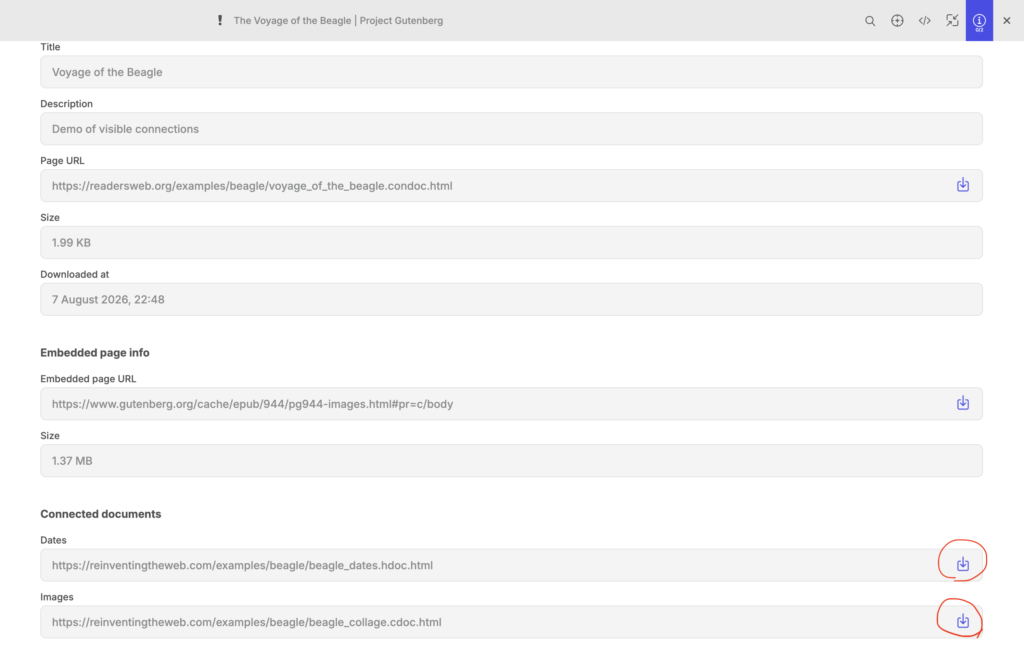
You'll have to put each document on the canvas.
