This specification on GitHub should be treated as the source of truth for CONDOC document format.
1. Overview
CONDOC stands for ‘connections document’. This document is used when you want to enhance other people’s content. A CONDOC does not contain primary content of its own. Instead, it specifies:
A reference to an external “main” document.
A set of outbound connections to additional documents. Connections may contain floating links.
2. Structure
A CONDOC document consists of the following top-level elements:
<connections> <doc url="https://readersweb.org/examples/famous-men/table-of-contents.hdoc" title="Table of contents of the Project Gutenberg eBook "Famous Men of the Middle Ages"" hash="1f25bd"> i:25422;l:19;h:60e455;e:QUg=_i:5;l:19;h:3c1f60;e:QWg= i:33104;l:14;h:df0913;e:QU4=_i:43;l:14;h:457c77;e:QW4= ... </doc> </connections>
</condoc>
5. Example CONDOCs
To view working examples, install the Visible Connections browser extension and open the following files:
Let’s say you want to connect your page to another page on a different website. There’s a problem: that other site doesn’t support HDOCs. Can we work around that? It turns out yes, we can. HDOCs are very simple. They’re basically a title and the content (plus a few optional fields). If you can locate those two things on a page, you can build an HDOC locally even if the original page isn’t an HDOC.
In other words, we need to be able to parse arbitrary web pages. But all client apps must parse them the same way. If they don’t, you’ll end up in a situation where a floating link works in one app and looks broken in another. And you won’t be able to fix it, because the underlying text is slightly different depending on how each client parsed the page. We need deterministic parsing. That’s where parsing rules come in.
Here’s what a URL with parsing rules may look like:
Everything after #pr= is the parsing rules section. It’s a set of key–value pairs where each value is a selector. Most of them are optional. The only required one is the content selector. Because of that, for many pages URLs with parsing rules will look much simpler, for example:
https://example.com/some-page#pr=c/body
Here are all the supported selectors:
c — content selector (required)
t — title selector (optional if the title is in an <h1> and is unambiguous)
r — list of selectors to remove from the final content (optional). Multiple selectors are separated by commas. Each selector is URL-encoded individually.
d — publication date selector (optional)
a — author name selector (optional)
All selectors must be URL-encoded.
Behind the scenes, a client app simply calls querySelector with the selector you provided. For the “remove” list, it calls querySelectorAll.
How to find selectors using the RW Reader browser extension
RW Reader has a parsing rules editor. I explain how to use it in this video.
Good news
Once you figure out the parsing rules, every client will parse the page identically. Users won’t even know parsing rules exist—everything “just works.”
In the future we may create a public database of parsing rules for different websites which may be integrated with the extension, so you won’t have to come up with parsing rules that often, especially for the more popular websites.
And over time—this is the optimistic scenario—HDOCs become common enough that parsing rules aren’t needed as often.
Special case
A special parsing rule exists for plain-text pages:
https://example.com/some-page#pr=text
Here "text" means the page is plain text and should be treated as such. Also, if the parser finds a line starting with Title: ..., it treats it as the page title in this case.
This specification on GitHub should be treated as the source of truth for Embedded HDOC document format.
I originally designed HDOC as a standalone document format. In the future, when browsers and search engines support it natively, many HTML pages could be replaced with HDOCs. In most cases, the real content is stored in a database anyway, and changing the presentation layer is trivial. The problem is that right now, neither browsers nor search engines know anything about HDOCs. If you replace your HTML pages with HDOCs today, your site basically disappears for most people.
One way around this is to serve HDOCs from separate endpoints. That lets you keep the original HTML page, but now you’re maintaining two URLs for essentially the same content. It would be much better if you could serve both the HTML page and the corresponding HDOC from a single URL. That’s exactly what the embedded HDOC format is for. It lets you embed an HDOC inside your HTML page.
Which version a person sees depends on the software they use. Most visitors will just see the HTML page. Anyone with HDOC-aware software will see the HDOC version instead.
To embed an HDOC into an HTML page, you need to do two things:
Mark the element containing the page’s actual content with a special class called hdoc-content.
Add a <script> tag with JSON content and the id hdoc-data that includes all the additional information needed to construct the HDOC locally.
A client app will download the full HTML page, extract the content from the marked element, then read everything else from the JSON. With that information it can construct an HDOC—served from the exact same URL as the original HTML page.
The "removal-selectors" field is useful if some plugin has polluted your content with unnecessary elements. You can list selectors that HDOC-aware software should remove from the final content.
"forced" field (optional): Boolean. When true, HDOC-aware clients should always render the page as an HDOC, including when it is opened directly as the main document. When absent or false, the client shows the original HTML page to direct visitors and uses the embedded HDOC only when the page is loaded as a connected document.
You don’t need the metadata field if all you want is the page title. The client software will automatically use document.title from the HTML page.
There may be other fields not described here. This format is still a draft, and I’ll make this and the other data formats more official in the near future.
My WordPress plugin already supports embedded HDOCs. Once installed, it handles everything for you: marking the content, generating the JSON, and injecting it into the page. If you want, you can also define site-wide information in the plugin’s settings, and it will automatically include it in the JSON.
The best part is that your site looks exactly the same as before to most people. You don’t need extra endpoints or duplicate pages just to make HDOCs available.
Here you’ll find a few examples of documents that use visible connections. Their purpose is simply to show the new capabilities now available to you. On their own, these examples aren’t particularly useful.
In the near future, I’ll try to create materials that are useful, and I’ll also try to encourage others—mainly teachers and other educators—to create their own materials that make use of visible connections.
To view these particular examples you’ll need to install RW Reader browser extension. Later I’ll add other examples that can be viewed without the extension.
First example: a page connected to a page on another website
Second example: a page from another site connected to two other pages.
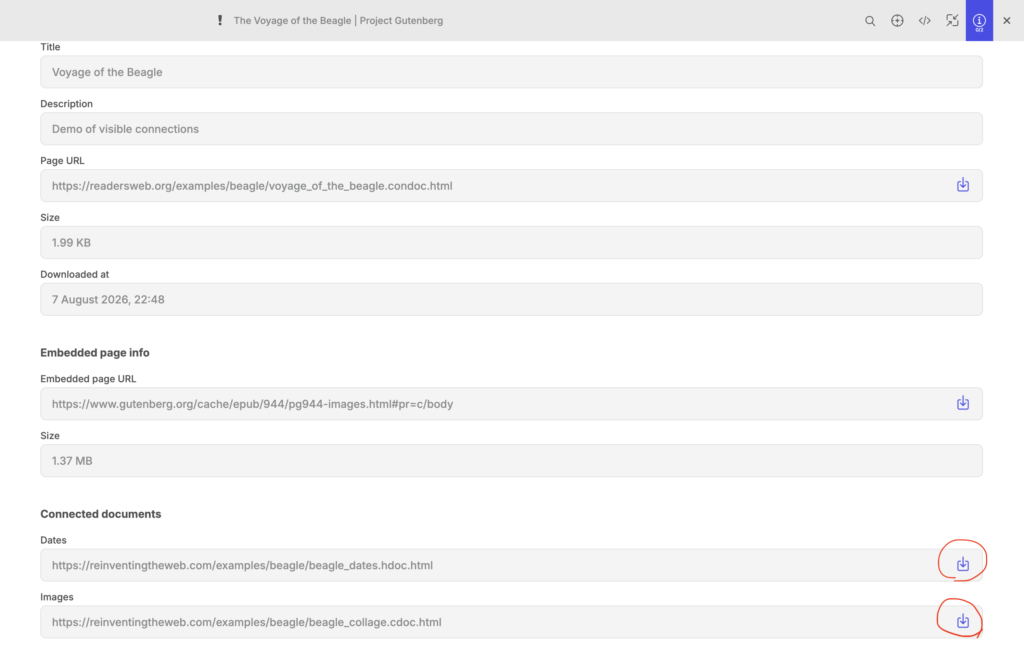
Open this page. Click “download all connected documents” button that is located in the top right corner of the window. What’s interesting about this document, is that the main text (the book) is actually fetched from another site.
Now you can open the same examples in the browser and then download them into the app using the extension. Open extension’s popup and click “Download” button.
In the app you download each connected document individually.
Because pages on the Reader’s Web are self-sufficient and don’t require a live connection to the server to load some or all of their content, they can have a life of their own once downloaded. This will lead to a practice I call republishing. Imagine that anybody can take a page from your website and publish it on their website. Wait, what?!
It may sound crazy at first, but let me explain.
Why would people publish someone else’s content?
Let’s say you want to publish a commentary on someone’s article. You can create an HDOC, write your commentary, then create a connection to the article in question and create floating links between the two pages. Then you publish HDOC on your website. When someone downloads it, they will see that your document references another document, download that document as well, and then they will be able to see visible connections (floating links) that you created.
Here is an example of floating links between documents:
The Problem: Content Instability
All well and good, but what if the author of the article changes something in the article. It may break your floating links. There is a self healing mechanism that can fix broken links, but it doesn’t work in 100% of cases. Or, what if they completely delete their page? All your work writing commentary and adding links would go to waste. You need some way of stabilising the content of their article.
In a centralised system like Ted Nelson’s Xanadu this problem is solved by simply saving every version of every document and never deleting anything. But in a decentralised system like the World Wide Web you don’t have a guarantee that a document on the other end of a link will not change or will even exist in the future.
The Solution: Republishing
The best way to ensure stability in a decentralized system is to host a copy of the article on your own site and connect your commentary to that copy rather than the original.
Is this even legal?
I believe republishing can become an accepted and expected practice, just like linking to webpages is today.
By the way, linking wasn’t always a settled issue. In the early days of the Web some people seriously debated whether it was legal to link to someone else’s page without permission.
Why would that be a problem? Imagine I have a popular website, and you run an obscure one. If you link to my site, your site becomes more useful, possibly gaining popularity. Do you now owe me something for benefiting from my content?
Or what if I publish a private webpage meant only for friends? If you link to it from your popular website, you bring unwanted attention. Should you have asked first?
Today, the consensus is that if you publish content on the Web, you should expect others to link to it. If you want privacy, use authentication. And maybe, you should even be thankful that somebody links to your content, because that brings you more traffic.
Why should you be OK with republishing?
The key is how republishing is done and what the republisher gains from it.
When republishing someone’s page, you must not alter its content. In an HDOC, sections like <metadata>, <header>, <content>, <panels>, and <connections> remain intact. However, a <copy-info> section is added, containing the original page’s URL.
Client software (browsers and storage apps like LZ Desktop) will clearly indicate that the page is a copy, displaying the original URL as its primary address. The page will look as though it was fetched from the original site, while making it obvious that it’s a copy. Users will be able to view detailed information and see its true source.
Search Engines and Republishing
Currently, search engines don’t index HDOCs, CDOCs, or SDOCs, but once they do, they’ll be able to distinguish between native content of a website and republished copies. That means republished pages won’t impact the search ranking of the host site.
More importantly, republishers gain nothing from copying content other than stabilizing it for their floating links. Copying content is simply a technical detail of maintaining floating links, not theft. And just like with linking, you might even be grateful that others are preserving your content for free.
Finding webpages that no longer exist
Search engines could track every republished copy of an original webpage they find, ensuring that if that page disappears, users can still access reliable backups. However, this creates a risk: spammers might try to generate fake copies of recently vanished pages. To counter this, search engines may record multiple versions of each page, storing them as timestamped hashes. This way, when a page is lost, the search engine can analyze a network of its copies, identifying the most recent authentic version. If a spammer attempts to pass off a fake page, hash mismatches will expose the deception.
A Backup System for the Web
Republishing can serve as a redundancy mechanism, solving the problem of broken links.
Random websites will help to preserve only some pages by republishing them.
But in the future, there may exist services similar to the Web Archive that could store vast collections of static pages. These could be non-profits, commercial entities charging for access, or services that you pay to host backups of your content. Different business models could emerge.
Such services could do more than passively store backups. Imagine your browser encountering a broken link. Instead of displaying a “404 Not Found” error, it could automatically request a copy from a backup service and seamlessly load the missing page. The page would be marked as a copy but still deliver the content the user was seeking.
The Interplanetary Web
Now, let’s take this a step further. Imagine a future where humans colonize Solar System. If we don’t do anything about our Web before that happens, there will be a separate Web on each planet, because of time delays in communication between planets.
Many regular web pages are too dependent on live server connections. To have such pages available on Mars, for example, you’d have to have a copy of your entire web server there.
Some popular websites like Wikipedia will probably be hosted this way on multiple planets. But most website owners won’t bother to host a copy of their websites on another planet.
And so, the Web on Mars will be mostly separate and different from the Web on Earth.
However, if we turn our Web into a web of static documents, time delays won’t be a problem. We’ll be able to use republishing mechanisms discussed above to have a copy of the entire Web in many places across the Solar System.
Sure, some things that you have to run in containers, won’t work across large distances. For example, people from Earth and Mars won’t be able to play real time online games together. But that’s expected, and nothing can be done about it.
The problem is that currently our entire Web is made of containers. And this needs to change. Bringing the Web to other planets is yet another reason to start the transformation of the Web.
Republishing License
I plan to publish a license or a declaration of principles to clarify the expectations around republishing.
In my view, Reader’s Web is fundamentally about sharing. Readers should be able to download, cache, and even republish content by default.
However, there is also an option to opt out on a case-by-case basis. This ensures flexibility for content creators who prefer to restrict republishing.
Disclaimer
Of course, none of this is legal advice. I’m not saying you can republish content today without consequences. If you think you could get in trouble for doing so, don’t do it. What I am saying is that republishing could one day become as normal as linking, helping to create a more stable, and scalable Web.
This specification on GitHub should be treated as the source of truth for CONNECTIONS format.
HDOC, CDOC and SDOC may all have <connections> section. It contains a list of documents the current document wants to connect to. Each connection may have a set of floating links.
Child Element: <doc> (multiple)
Contains information about a document.
Attributes:
title(optional): Connected document’s title
url(required): Connected document’s url
hash(optional): SHA256 hash of the connected document’s content.
HDOC: Hash is calculated over textContent, not the HTML or innerText (to avoid whitespace modifications affecting highlight indices).
CDOC: Hash covers the entire <svg> section, including the <svg> tag.
Currently, the hash is generated upon export but is not verified when loading documents. This feature will be added later.
Child Elements of <doc>
A <doc> may contain floating links, which link:
Text segments in HDOCs
Points in collages (CDOCs)
Points in 3D scenes (SDOCs, not supported currently)
Floating links are presented as lines with key value pairs. Examples:
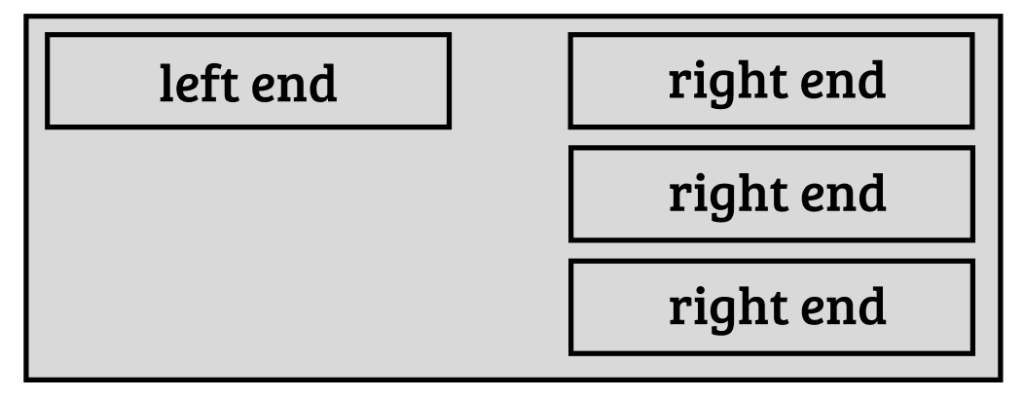
What end you use, depends on the document. For text documents you use a text end, for collages – a point end. There may be different combinations.
Point-to-point links, for visible connections between two collages, are currently not supported but may be supported in the future.
Two parts of a floating link are divided by an underscore.
Point end
Example:
p|x:45.462;y:218.567;r:0.209
p → Point end type
x, y → 2D coordinates in a collage
r → Radius of a visible marker
Text end
Example:
t|i:47703;l:33;h:c85272;e:QTI=
t → Text end type (default, can be omitted)
i → Index of the first character of the highlighted text
l → Length of the highlighted text
hi → Index of hashed range
hl → Length of hashed range
h → SHA256 hash
e → Ends of hashed range (first and last letter of hashed range concatinated into one string and then base64 encoded)
Most text ends will appear without the t prefix:
i:47703;l:33;h:c85272;e:QTI=
Hashes in text ends
Hashes are used, so we could tell if the link is broken because the text of a document was changed. And if the link is broken, in many cases the hash can help fix it by moving it to another index. The client app can simply move a range of a known length across the text and check at each tested index if the hash of a text within that range matches the known hash.
Hashes are generated for text segments that are unique and at least 10 characters long (character limit is used by LZ Desktop app when creating floating links, but it is not a requirement that will be set as a Web standard that all client apps must follow).
If highlighted text is too short or non-unique, the hash is computed for a larger surrounding range.
Default behavior: The hashed range extends left unless near the start of the document, in which case it can grow right as well.
When the highlighted text is both long enough and unique, the hashed range coincides with it, making hi and hl unnecessary:
i:6771;l:22;h:abb7b7;e:MjE=
For text-to-text links, if both ends have the same hash, the second hash can be omitted. If the hashed range ends are the same (regardless of whether the hashes are the same or not) the “e” in the second text end can be omitted as well:
i:6771;l:22;h:abb7b7;e:MjE=_i:35;l:22
Ends of hashed range are stored so that if the link is ever broken, it can be fixed in a reasonable time. If you only use hashes, you may have to test a large number of positions in text by calculating hash for each of them. If the web page is a size of a book, it can take, for example, 30 seconds or even a minute to fix all broken links.
If you know the first and last letter of the hashed string, you don’t need to check all possible positions, but only the ones where the first and the last letter match those stored in “e”. Because of that, the links with “e” parts can be fixed almost instantly.
How this format can be extended
I have only implemented floating links for the simplest possible use cases. In the future a lot more options can be added.
We may want to be able to have multiple ends for one floating link. For example, you may want to create one commentary that is connected to multiple places in another document.
We may need to distinguish different types of links. So, a type field can be added to floating links.
Types can be, for example, Reference Link, Commentary Link, Correction Link, and many others. Some links may not even be links between two documents, but simply annotations within one document.
New floating link ends
For CDOCs (2D collages) a lot more link ends can be added besides a simple point marker. For example, you may want to frame something with a rectangle. You may want to add texts as overlays. All such cases can be handled by introducing new floating link ends.
A collage may contain texts, so maybe we should be able to have text ends that are used in collages.
Also, it may be useful to be able to target specific images within a collage instead of using absolute coordinates. This way, if an image position was changed, the link will not be broken.
In 3D scenes (SDOCs) a support for 3D point ends and possibly other types of ends may be added in the future.
Proper Xanalinks
As I mentioned in other posts, this project is inspired by Ted Nelson’s project Xanadu. In Xanadu, there was a completely different mechanism for stabilising content of documents, so that links are never broken. That mechanism can be used in the Web 1.1 as well. It probably won’t be widespread, but I think it should exist as an option.
Documents that support that mechanism, will be simply HDOCs that have an <edl> section.
A new floating link end will be introduced for Xanalinks. It will be more complex than a regular text end with a hash.
Because it’s just one end, it can be combined with other types of ends. So, you’ll be able to connect a Xanadoc (HDOC with an EDL section) to a regular HDOC. Or to a collage, 3D scene, or another Xanadoc.
If for whatever reason you don’t want to use stabilized content addresses from EDL you’ll be able to use a simple text end over a Xanadoc. But in this case you won’t be using all the features a Xanadoc can provide.
SDOC is a format for 3D scenes on the web. Just like HDOC and CDOC it is a static format, meaning that it cannot include any scripts.
SDOC is currently not defined, but it will be similar to CDOC in that the main content will probably be located in a section that will use some popular format for 3D scenes, just like CDOC uses a popular 2D vector graphics format (SVG).
SDOC will probably have <metadata> section, <copy-info> section, and <connections> section just like HDOC, and CDOC.
SDOCs may contain HDOCs, CDOCs and even other SDOCs. All those documents may be included by reference.
What will 3D scenes be used for?
One use case I can think of is having something like a site map. Only instead of links to different pages you could have a 3D scene where you can surround your reader with your content.
In the video example, I move things around. This will be possible with local scenes that user creates. SDOCs downloaded from the web will probably be immutable.
Also, in the demo the 3D scene looks basic. But since the SDOC format will be based on some popular 3D format, you should be able to create scenes of any complexity.
CDOC is a format for 2D collages on the web. Just like HDOC it is a static format, meaning that it cannot include any scripts. CDOC may contain images, texts and anything an SVG file could contain.
This specification on GitHub should be treated as the source of truth for CDOC document format.
METADATA
CDOC has metadata section just like HDOC. Inside of it it may have a <title> tag. Other things that may go into metadata section are not yet defined.
<cdoc>
    <metadata>
        <title>Title of my post</title>
    </metadata>
</cdoc>
SVG
The content goes into one inline SVG. You can use any elements SVG supports. There may be some restrictions on the use of classes. Scripts are not supported.
Documents included by reference will probably be presented by any valid SVG element (for example, an image) wrapped into an anchor tag of a special class.
<cdoc>
    <metadata>
        <title>Title of my post</title>
    </metadata>

    <svg xmlns="http://www.w3.org/2000/svg" width="400" height="300">
        ... (content goes here)
    </svg>
</cdoc>
PANELS (Not needed)
Panels like in HDOC are probably not needed. However there may be a need for side panel for some interactivity. So, some way to add the URL of side panel webpage may be added in the future. For now panels are not supported in CDOC.
COPY-INFO
This section will be similar to that of HDOC, but the mappings may include URLs not only of media files but of the embedded documents as well.
CONNECTIONS
This is an XML structure that contains information about documents the current document wants to connect to as well as floating links that connect those documents with the current documents.
Connections section will be supported by all three document types: HDOC, CDOC, and SDOC. For that reason its description is on a separate page.
HDOC stands for ‘hypertext document’. It is a static format which means you can’t add a script to it. You can use CSS classes from a list of predefined classes, but you can’t define your own CSS classes or use inline CSS.
This specification on GitHub should be treated as the source of truth for HDOC document format.
METADATA
HDOC has metadata section that servers the same purpose as head section in a regular HTML file. Inside of it it may have a <title> tag. Other things that may go into metadata section are not yet defined.
<hdoc>
    <metadata>
        <title>Title of my post</title>
    </metadata>
</hdoc>
CONTENT
While regular html file puts all visible content into a <body> tag, HDOC has two tags with visible content: <header> and <content> (a <footer> may be added in the future). Inside the header you can add the visible title of the page and some information like author name and publication date. Over time more options will be added to that list. Which ones of them are actually shown will be determined by client apps.
The content of the page is included as HTML inside content section. Technically it is possible to include the title into the content section and omit the header section, but it’s not recommended, because you may want to change it in the future and that can break floating links on your page. Try to not make any changes unnecessarily to the content. Note how the content starts right after the opening content tag. It’s a good rule to follow, especially if you edit your source code manually.
<hdoc>

    <metadata>
        <title>Title of my post</title>
    </metadata>

    <header>
        <h1>Title of my post</h1>
        <author>Me</author>
        <date>October 15, 2025</date>
    </header>

    <content><p>This is a paragraph.</p></content>

</hdoc>
PANELS
Optionally HDOC may have panels section. It is responsible for top and bottom panels which are standardised and will look the same on all websites. You as an author can only specify main logo or website name, and a list of links. It may also contain link to a paired web page (if some interactivity is needed) and/or a link to comments in JSON format. Paired web page or a list of comments will appear on the side panel.
Root Element: <panels>
Child Elements:
<top>(optional): Defines the top panel of the page.
<sidebar>(optional): Defines the sidebar of the page.
<comments>(optional): Defines information needed for showing a comments section and loading comments. Does not include actual comments.
<bottom>(optional): Defines the bottom panel of the page.
Child Element: <top>
Defines the top section of the webpage.
Child Elements:
<site-name>(optional): Represents the site name.
Attributes:
href(optional): URL to navigate to when the site name is clicked.
Content: The text of the site name.
<logo>(optional): Represents a site logo.
Attributes:
src(required): URL to the logo image.
href(optional): URL to navigate to when the logo is clicked.
<a>(optional, multiple): Represents a hyperlink in the top panel.
Attributes:
href(required): URL of the hyperlink.
Content: The text of the link.
Child Element: <sidebar>
Defines a sidebar panel of the webpage, typically used for links to recent posts, recent comments, random links, search box, etc.
Attributes:
side(optional): Specifies which side the panel appears on.
Values:
"left": The panel is on the left side.
"right" (default): The panel is on the right side.
Child element: <comments>
Contains URL of a list of comments in JSON format.
Attributes:
title(optional): Specifies the title that goes above the comments section.
empty (optional): Specifies the message that will be shown if there are not comments yet.
Child element: <ipage>
Contain URL of the paired interactive page.
Content:
The URL of webpage to be displayed in the side panel.
Child Element: <bottom>
Defines the bottom section of the webpage.
Child Elements:
Content: The text of the message.
<section>(optional, multiple): Defines a section within the bottom panel.
Attributes:
title(optional): The title of the section.
Child Elements:
<a>(optional, multiple): Represents a hyperlink in the section.
Attributes:
href(required): URL of the hyperlink.
Content: The text of the link.
<bottom-message>(optional): Defines a message at the bottom of the panel.
All panels – <top>, <side>, <bottom> – are optional.
You should use either <site-name> or <logo> but not both.
COPY-INFO
Optional section that is used only when HDOC is a copy of some other HDOC in which case this section is required.
This section is currently not supported by LZ Desktop, but will be in the future.
Child Elements:
<source>(required, multiple): A URL of the source page. If hdoc represents a copy of a copy of some hdoc, then multiple source tags must be used. In general you should avoid making copies of copies if the original document is available. But if its unavailable and you have to make a copy of a copy, using multiple source tags allows us to save the history of the document.
Attributes:
copied-at(required): An ISO 8601 timestamp of the moment when the copy was made. For example (UTC), 2025-01-01T12:00:00Z or (with Timezone Offset) 2025-01-01T12:00:00+02:00
<media-mappings>(optional). This element represents a collection of mappings for media files, allowing you to replace old URLs with new ones. Contains one or more <m> elements, each defining a mapping between an old URL and a new URL.
Since section is currently not supported, the details may change when the support is finally implemented.
CONNECTIONS
This is an XML structure that contains information about documents the current document wants to connect to as well as floating links that connect those documents with the current documents.
Connections section will be supported by all three document types: HDOC, CDOC, and SDOC. For that reason its description is on a separate page.
HDOC consists of XML and HTML content. First HTML should be extracted using regular expressions (HTML is only included in the content section. H1 tag in the header is an XML tag). Then XML and HTML can be parsed separately. Text in H1 should not contain any html tags. If it does, they should be stripped away.
Format update notice
HDOC format was changed drastically on October 15, 2025. Since I haven’t really promoted my app yet, currently nobody uses it but me, so I can make big changes.